

Google Web Designer 16.4.1.0219
Planning a Google Web Designer download? Read our honest review first. We cover the free license, verified file sizes for Windows and Mac, real user complaints about crashes and confusing UI, and safe installation advice from the official source.
- Free
- Windows
- Nov 1, 2026
bce409b0951d6ea4e632f9508f5bb812565bf6010a813b0f0be914c287b9f603VirusTotal report ↗Screenshots and videos
About Google Web Designer
Google Web Designer Download Review: A Free HTML5 Ad Tool That Is Not a Website Builder
TL;DR Quick Take / Who Is This For?
Google Web Designer is a free desktop application for creating HTML5 banners, animated ads, and interactive motion graphics. It is not a general-purpose website builder, despite how Google occasionally markets it. The tool is genuinely useful for marketers, designers, and small teams that need to produce display ad creatives for Google Ads or DV360 without hiring an agency. It offers a visual WYSIWYG canvas, timeline-based animation, templates, and the option to drop into direct code editing. However, user feedback is clear that the interface can feel confusing at first, the software is not fully stable, and it becomes difficult once you move beyond templates into custom work. If you need animated HTML5 ads and want to avoid paid tools like Adobe Animate, this download is worth trying. If you want to build a full website, look elsewhere.
Quick Info Box
| License Type | Free |
|---|---|
| File Size | ~11.8 MB (Windows); ~118.7 MB (macOS) |
| OS Compatibility | Windows 10/11 (64-bit); macOS; Linux |
| Latest Version | 16.4.1 |
| Developer |
Key Features & Real-World Usability
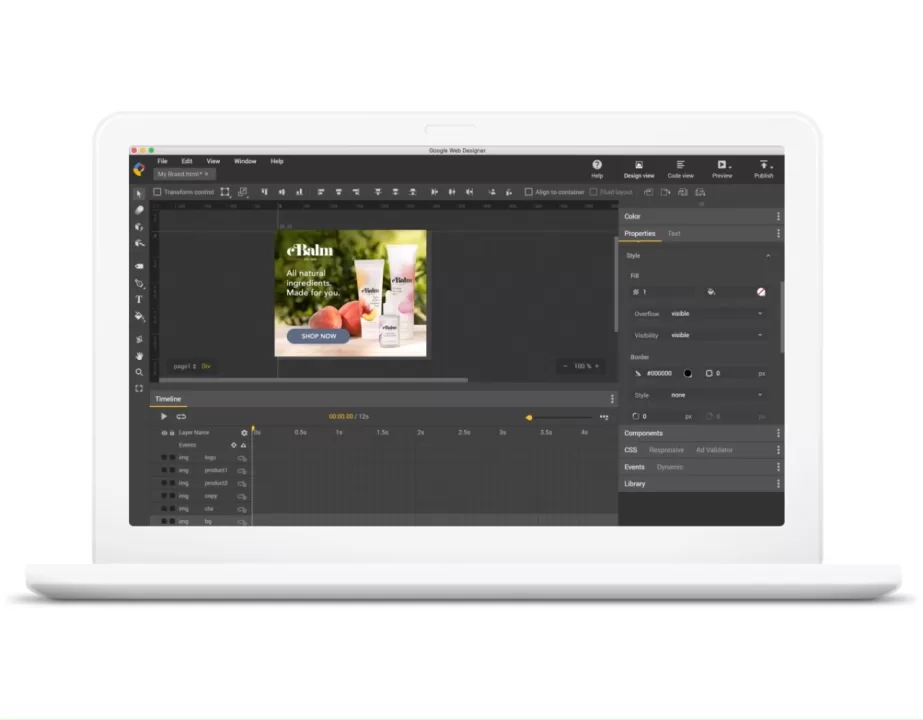
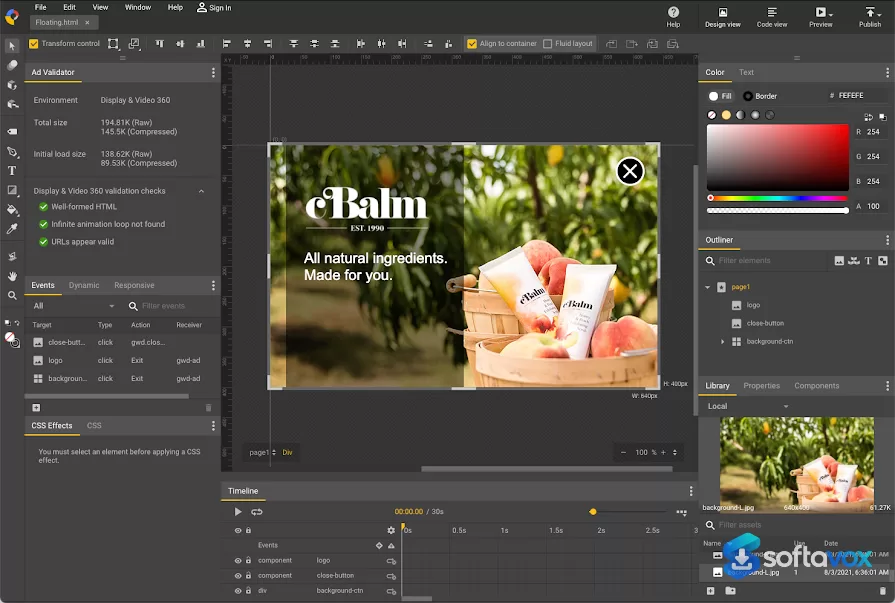
The core of Google Web Designer is its visual design canvas. You draw elements, place text, adjust colors, and position objects without writing code. A timeline-based animation system lets you keyframe movement and create motion-rich banners, and the app supports basic 3D effects. For teams that need to produce multiple ad sizes quickly, the built-in template library is a real time-saver. When you need finer control, you can switch to a code view that exposes HTML, CSS, JavaScript, and XML with syntax highlighting and autocomplete. On export, the tool handles compression and CSS prefixing automatically, which reduces the manual cleanup that often follows HTML5 ad production.
The limits appear once you expect more than ad authoring. Independent reviews describe the application as leaning “much more toward producing display advertising than toward building full-featured websites,” with workflows and export options oriented around campaign delivery rather than holistic web development. Users note that complex banners become difficult to assemble, that assets sometimes export incorrectly or at the wrong file size, and that importing files created in other tools can fail. The interface is also a recurring complaint. One reviewer described it as “not good and confusing,” while another noted that what looks simple at first becomes demanding once you need assets that Google Ads will actually serve. Several users stress that some coding background is effectively required to reach a polished result.
- Visual WYSIWYG canvas: lay out elements without hand-coding.
- Timeline animation: keyframe motion and basic 3D effects for HTML5 creatives.
- Code view: edit HTML, CSS, JavaScript, and XML with syntax highlighting and autocomplete.
- Template library: prebuilt ad sizes and layouts for faster production.
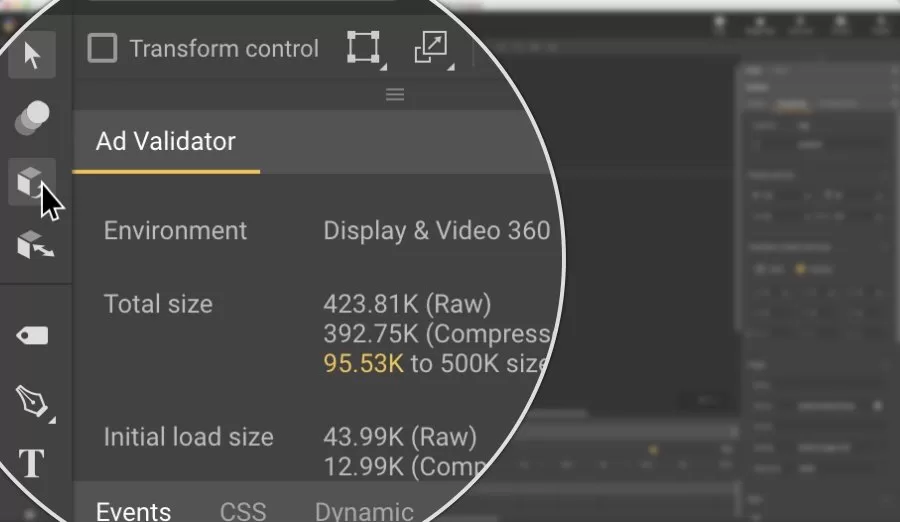
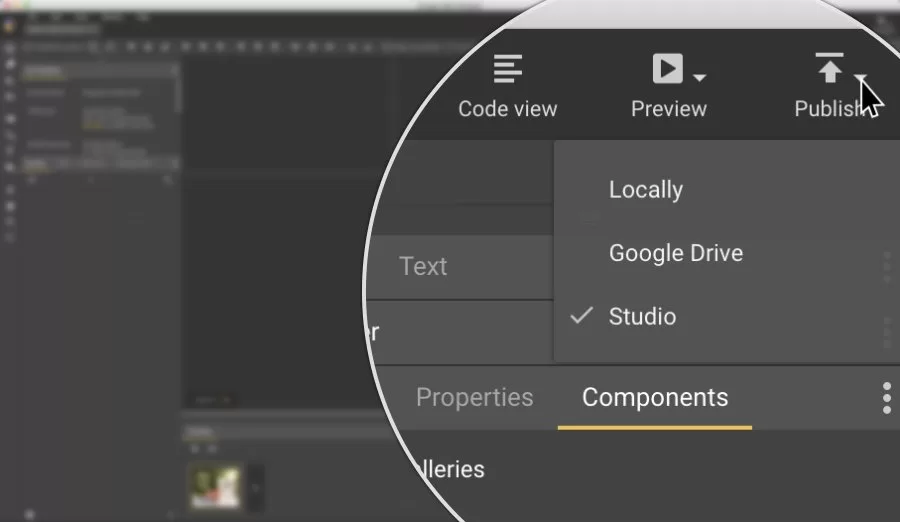
- Publish helpers: automatic compression and CSS prefixing on export.
Pros, Cons & Community/User Feedback
Aggregated user sentiment is moderately positive but not enthusiastic. On Capterra, the tool holds a 4.3 out of 5 across 40 reviews, with 83% positive sentiment and ease-of-use rated 4.5. On OMR Reviews, users repeatedly praise the fact that it is free and that templates make quick banner creation possible even for people with limited coding experience. One long-term reviewer who came from Flash described it as a simpler alternative to Adobe Animate, with “no fiddly keyframe work” and fast results. Another reviewer highlighted the practical value of producing HTML5 assets for Google Ads and DV360 in-house instead of paying an agency.
The criticism is consistent. The most common complaints are instability and crashes, a confusing interface, and limited suitability for complex designs. One reviewer summarized it as “easy to use and all important functions, but unfortunately also crashes and bugs.” Others point out that the tool has been available since 2013 and still carries beta status, which is a fair signal about long-term polish. For advanced users, the lack of professional coding features is a recurring frustration, while beginners may find the learning curve steeper than the marketing suggests.
Pros
- Completely free, with no license fees or subscription.
- Strong for HTML5 banner and animated ad production.
- Templates speed up creation across multiple ad sizes.
- Timeline animation is approachable for users coming from Flash or simple motion tools.
- Code view supports direct HTML, CSS, and JavaScript edits when needed.
- Runs on Windows, macOS, and Linux.
Cons
- Not a website builder; poorly suited to full site development or complex layouts.
- Interface is confusing for beginners and described as cluttered by multiple users.
- Occasional crashes and stability issues reported across review platforms.
- Advanced custom work effectively requires coding knowledge.
- Asset export and third-party file imports can fail or produce incorrect sizes.
- Still labeled as beta more than a decade after launch, with limited professional-grade features.
Final Verdict & Safe Download Advice
Google Web Designer is a specialized free tool for a specific job: producing HTML5 display ads and animated banners. For that job, it is capable, template-friendly, and considerably cheaper than paid animation suites. For general web design, it is the wrong tool, and the user reviews make that clear. The stability complaints and the lingering beta label mean you should treat it as a production utility rather than a polished creative suite. If your workflow centers on Google Ads creatives, the download is worth it. If you need a dependable website builder or a professional motion-graphics application, keep looking.
The safest source is the official Google Web Designer page. Third-party download portals may carry outdated builds or bundle installers with unwanted software. Before installing on Windows, confirm the file size is roughly 11.8 MB; the macOS package is much larger at around 118.7 MB, so a dramatically different number is a red flag. Verify that the publisher is Google, run the installer through your usual security scan, and check the official changelog to confirm you are on the current 16.x release. Because the application is free and ad-supported workflows are its focus, there is no paid tier to unlock; any site asking for payment for this software is not legitimate.
- Download only from: the official Google Web Designer page.
- Verify before installing: confirm the publisher is Google and the file size matches your platform (~11.8 MB Windows / ~118.7 MB macOS).
- Avoid third-party download sites: they may supply outdated builds or bundle unwanted software.
- Check the version: the current release is 16.4.1; older builds may lack fixes for known stability issues.
- Expect no paid support: the tool is free with community and documentation support only, so plan for a learning curve.
- Set expectations: use it for HTML5 ads and banners, not for building or maintaining a full website.
Similar software




Key features
- Google Web Designer download review: a free desktop tool for HTML5 ads, animated banners, and motion graphics, not a website builder.
- Best for ad creatives: useful for marketers, designers, and small teams producing Google Ads or DV360 display assets in-house.
- Free Google tool: no license fees, subscriptions, or paid tiers, any site charging for it is not legitimate.
- Visual WYSIWYG canvas: lets users place text, shapes, colors, and elements without hand-coding.
- Timeline-based animation: supports keyframes and basic 3D effects for motion-rich HTML5 banners.
- Template library: speeds up production across multiple ad sizes, especially for beginners.
- Code view: exposes HTML, CSS, JavaScript, and XML with syntax highlighting and autocomplete.
- Export helpers: automatic compression and CSS prefixing reduce manual cleanup after ad production.
- Cross-platform availability: runs on Windows 10/11 64-bit, macOS, and Linux.
- Strong niche, weak general use: capable for display ads, but poorly suited to full websites or complex layouts.
- Mixed user feedback: Capterra score is 4.3/5 across 40 reviews, with praise for free templates and criticism for crashes and confusing UI.
- Beta-status warning: still labeled beta more than a decade after launch, signaling limited long-term polish.
- Safe download advice: use only the official Google Web Designer page; verify Google as publisher, version 16.4.1, and ~11.8 MB Windows or ~118.7 MB macOS.
- SEO takeaway: position it as a free HTML5 ad and banner maker for Google Ads creatives, not as a general-purpose web design solution.
Frequently asked questions about Google Web Designer
Is Google Web Designer free?
Is Google Web Designer a website builder?
What is Google Web Designer best used for?
Does Google Web Designer work on Windows, macOS, and Linux?
How big is the Google Web Designer download?
Is Google Web Designer stable?
Is Google Web Designer good for beginners?
Does Google Web Designer support coding?
Can Google Web Designer export HTML5 ads?
Where should I download Google Web Designer?
What version is current?
Should I use Google Web Designer for a full website?
Versions
| Version | Release date | Platform | File size | |
|---|---|---|---|---|
| Google Web Designer 16.4.1.0219 Latest version | Sep 1, 2026 | Windows | 12.7 MB | Download |
Comments about Google Web Designer
No comments yet. Share your experience with this program!